Artist Paul Johnson has been working on a Star Wars animated short for several years now. But he finally finished it, and we gotta say, It was well worth the wait! Done in a very cool 80’s style Anime theme, it is the Star Wars Anime we wish we would get. Take a look at this awesome video below.
Suspend/Resume* — Supported by nearly all of your PS4 games, you can jump in and out of your games with just the press of the PS button. Quickly switch from Rest Mode to powered-up so you can pick up where you left off.
Back-Up and Restore HDD to USB — Back-up and restore your hard disc drive data associated with users on your PS4, including settings, saved data, screenshots and video clips as well as games, patches and download data, to and from an external USB drive.
Find and Connect with Friends — “Yukimura” adds to an already robust set of social tools, bringing several updates to continue making PS4 the best place to play with your friends, including:
Facebook Friend Finder — Using your linked account, you can expand your network by searching and connecting with your Facebook friends.
Improved Friend requests — Friend requests and Real Name requests can be sent together in one step when adding a friend on PS4.
Streamlined Party process — The process to create a Party has been streamlined with a reduction in the number of steps required.
Find Friends who play your games — Easily view what friends are playing on each game detail page with a real-time “Friends Who Play This” section, which also highlights which friends are currently online and playing it, and if you own the game, allows you to jump directly into the game.
Join Friends directly from news feed — A new tile will be added on your What’s New feed where you can see what your friends are currently playing, enabling you to join in the game if you own it.
Share Earned Trophies and Optimize Your Trophy List — We know that Trophies are important to many gamers, so we’re bringing more control with how you show them off:
Automatic Trophy Screenshots — A screenshot will automatically be captured when a Trophy is earned, preserving the moment to share with friends.
SHARE Trophies — Players can share Trophy information to Facebook, Twitter or via Message by pressing the SHARE button.
Additional Trophy sorting options — Sort your Trophy list by Earned Date, Not Earned and Grade.
Delete 0% Trophies — Remove games from your Trophy list that have zero percent completion.
Improved and Expanded Accessibility Options — New options added to customize the user experience include:
Customized button assignments for DUALSHOCK 4 wireless controller.
Zoom for displayed pictures and inverted colors for all system functions, apps and in-game.
Text-to-speech for all graphical user interface, including Message and Party.
Enlarged text for all graphical user interface, including Message and Party, as well as the system’s browser.
Bolder fonts and higher contrast UI for all system applications (but will not apply to games or third-party applications).
Remote Play and Share Play — For games that support 60 fps, users will be able to automatically enjoy those games with 60 fps for both Remote Play and Share Play** on supported devices.
Automatic Installation for System Software Updates — Enable automatic installation for future system software updates.
Sub-Account Upgrade — Enable users 18 years of age or older with sub-accounts to upgrade to a master account directly on PS4, removing restrictions on chat and enabling users to add funds to their Wallet, purchase content and more.
Verified Accounts — Select game developers, producers, designers and community managers will be verified with a badge.
Dailymotion — Upload video clips directly to Dailymotion via the SHARE button.
PlayStation Vita and PlayStation App for smartphones and tablets will also receive system software updates tonight, adding complementary features to those added to PS4. PS Vita update version 3.50 and PlayStation App update version 2.50 will add new accessibility options, including enlarged text, increased contrast and more. This update also enables PS Vita to support 60 fps streaming for Remote Play**.
We’re excited for you to get your hands on these new features and experience them for yourselves. You have all been such a big part of our successes, and we have carefully listened to your requests to make your PlayStation experiences even better. We’re happy to be delivering many of them with “Yukimura.” Please keep the feedback flowing, so we can continue making PlayStation 4 the best place to play.
*Suspend/Resume is not fully supported by some software titles.
**A sufficiently robust wi-fi connection is required.
YouTube is preparing to relaunch its livestreaming platform with a renewed focus on live gaming and esports specifically, according to sources within the streaming industry.
The Google-owned online video behemoth, which tried and failed to acquire streaming giant Twitch last year, has watched the growth of esports with great interest and is looking to acquire broadcast content and talent within the industry.
“Gaming and esports in particular are going to be a big driving force for the new-look YouTube Live,” one source said. “There’ll be huge opportunities for established streamers and organizations soon and I would say that the record numbers of esports viewers are only going to grow when Google start promoting and partnering with these events.”
YouTube began experimenting with livestreaming in 2010, broadcasting cricket matches from the Indian Premier League, bragging at the time that these were the first free online broadcast of a major sporting event. Since then, however, the site’s livestreaming arm hasn’t really lived up to early expectations, outside of a few marquee events. And in early 2014, YouTube removed any mention of live events from its homepage.
Much of YouTube’s live content has long been dominated by foreign language news, obscure sports events, or hastily assembled Hangouts sessions. A new approach has been long overdue. So when Variety announced that Google was in talks to acquire the gaming streaming platform Twitch for $1 billion last summer, many assumed this would be the company’s next step in the streaming business. When that deal fell through, allegedly due to “antitrust concerns,” Amazon swooped in.
Now, YouTube is preparing to take on its former acquisition target head on. But it will be an uphill battle: Only four-years old, Twitch has quickly acquired what’s essentially a monopoly on live streaming in gaming and esports.
YouTube has already begun recruiting of a formidable team, with one source pegging the number at 50 engineers with expertise in the streaming industry.
That “is a pretty big statement of intent,” one source said. “The time is right as well, with Twitch moving into other areas such as music and so on. Google doesn’t want to be too far behind in the arms race.”
YouTube has already dipped its toe in the esports water. It has broadcast the biggest professional league in the U.S. and Europe, the League of Legends Championship Series since 2013. That deal, however, isn’t exclusive, and the majority of League of Legends fans continue to watch the live broadcast on Twitch or even smaller competitors, such as Azubu. That, combined with international copyright laws that prevent the broadcast from being viewed in certain countries, has largely left YouTube on the outside looking in—a situation it hopes will soon change.
The company will likely make an official announcement on its revamped streaming service at the gaming expo E3 that runs June 16 to 18.
YouTube declined to provide a statement on this story.
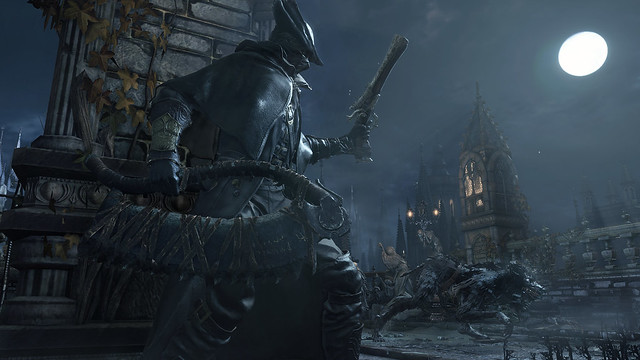
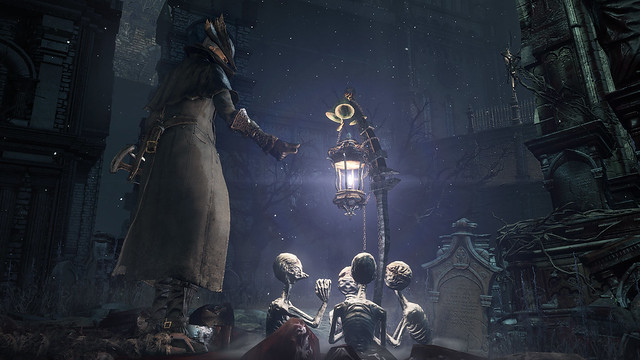
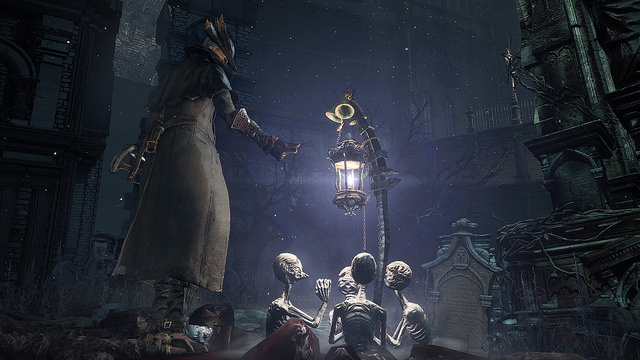
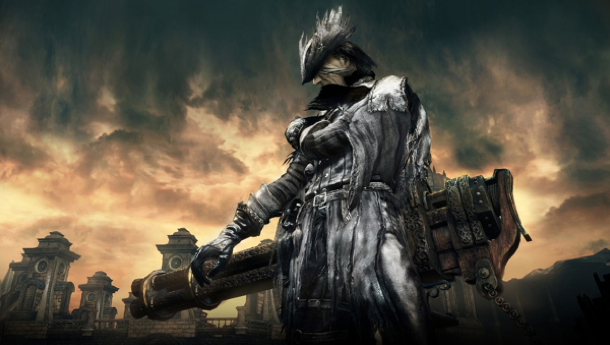
Psst.. Bloodborne is out tonight! And if you know anything about From Software, you know they don’t make cakewalks. To give you a head start, PlayStation’s internal teams joined forces to provide a list of crucial tips. Enjoy, and leave your advice in the comments below!
Character Development
Choose carefully. Spend time selecting your “Origin” during character customization.
Selecting the one that fits your play style will save you time and Blood Echoes in the long run. –Julie Abdalla, SCEA Test Analyst
Stats 101. Vitality grants more health and is always helpful. Endurance and Strength are good bets if you want to maximize your melee, while Bloodtinge boosts the effectiveness of your firearms. Whichever play style you prefer, pick a few key stats and pump them. Don’t spread yourself thin!
Blood money. Blood Echoes are your sole form of currency, both for purchasing items and leveling up. If you die (and you will), you’ll lose them… but if you can get back to your body without dying again, you can reclaim them. Look for a puddle on the ground or an enemy with glowing eyes.
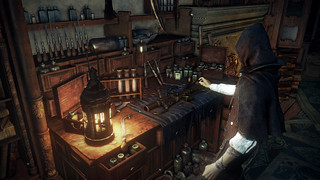
Dress to kill. As soon as possible, save up Blood Echoes to buy the Yharnam attire from the shop in Hunter’s Dream. This new garb will greatly increase your defense and help keep you breathing early in the game.
Invest for success. Use Blood Stone Shards to “reinforce” (aka upgrade) a weapon’s damage. You can do this in the workshop located in Hunter’s Dream. Once you’ve chosen a good melee weapon, reinforce it as much as possible as early as you can. The extra damage will make your life so much easier.
You are the weapon. It’s best to stick with one weapon and learn its intricacies — how far it reaches, how long it takes to swing, which buttons yield the best attacks. For example, the Kirkhammer starts as a humble sword, but tap L1 and it transforms into a mighty hammer that can eradicate mobs of beasts with one swing. – Justin Massongill, PlayStation.Blog
Smart shopping. Quicksilver Bullets are hugely overpriced in Hunter’s Dream, so make runs through Central Yharnam and scoop them off the snipers instead. Save your Blood Echoes for Molotovs and other, more exotic purchases.
Insightful mind. Your Insight level is shown in the upper right-hand corner of the screen under your Blood Echoes. It indicates the depth of inhuman knowledge you have attained, and you can spend a point to call in other players for help. Pay close attention to your Insight level — things around you may change as it increases… – Kumi Yuasa, SCEA Bloodborne Producer
Combat Strategies
The best defense. Bloodborne rewards a smart offense. After you take damage, for a few seconds you can regain lost health by landing blows on enemies. In tough combat scenarios, it may pay to launch into a berserker rage and earn back every possible drop of life.
Lock and load. You can click R3 to lock onto a foe, and you’ll circle strafe around it. You’ll need to lock on to throw items or fire projectiles. Locking on isn’t always the best choice, though. When fighting multiple foes or certain bosses, you may want to preserve your freedom of movement. Generally, it’s best to lock on when you’re facing one tough enemy, such as a Wolf Beast or Brick Troll.
Gun stunner. Bloodborne’s firearms inflict little direct damage. Instead, use them to stun enemies and set up devastating Visceral Strikes. Lock on to an enemy (click R3) and press L2 to fire. A well-timed shot, landed just as the enemy is attacking, will briefly stun it. Then, at close range, quickly tap R1 to inflict a deadly Visceral Strike. This will kill most beasts in just one hit, and even works against many bosses. Practice this and you’ll be unstoppable.
Free ammo. Heading into a crucial battle and need Quicksilver Bullets? No worries. Tap Up on the directional pad and, at the cost of a little life, you’ll snag five free rounds. If you’re quick, you can even regain that lost life by slashing at a nearby foe. – Justin Massongill, PlayStation.Blog
Drink up. Blood Vials are quite common in Yharnam, so don’t skimp on healing. Tap Triangle whenever you’re not at maximum health — yes, even during a fight.
Meet the Molotov. Early on, Molotovs will be your best friend. They’re affordable, inflict significant damage, and will allow you to defeat enemies that are much tougher than you. Combine them with the Oil Urns to inflict grave damage.
Hit and run. The lunging attack (Up on the left analog stick and R2, simultaneously) is a powerful move you’ll want to use again and again. Use it to land the first strike on a dangerous enemy or to deliver a final blow from afar.
Wear and tear. Inflicting less melee damage than normal? Your weapon is probably in disrepair. Keep your weapons in tip-top shape by visiting the workshop in Hunter’s Dream.
Flame on. The torch illuminates dark spaces, and can inflict decent damage up close. But when equipped, it will also keep certain, dangerous enemy types at bay. It’s a useful tool for any Hunter.
Trap ‘em. Try to lure large enemies into smaller pathways where they cannot easily get through, and then perform thrusting attacks to kill them from relative safety. – Brandon Buchholtz, SCEA Test Analyst
Build a combo. Hops and rolls count as a “move” in a combo. Try dodge rolling and following that up with L1 or R1. You’ll attack in a unique way. – Brian Dunn, SCEA Brand Marketing
Tips For Central Yharnam
Fear the wolves. Wolf Beasts spell trouble. You’ll first encounter a pair of them on the Great Bridge in Yharnam en route to the Cleric Beast. Throw a Pebble to lure one out, then fight it one-on-one, being mindful to hop backwards before it attacks. If that doesn’t work, melt ‘em with Molotovs.
Troll the Trolls. A Brick Troll can be a handful. Early in the game, don’t mess around: Toss two Molotovs and be on your way. If you don’t have that luxury, use lock on (click R3) and work your way around to its backside. Land a blow or two, then get out of the way. Wash, rinse, repeat.
Stone’s throw. In Central Yharnam, the Hunter mobs crowded around the fire pit can easily overwhelm you. Throw a Pebble to lure one away and deal with him Mano y mano. – Brandon Buchholtz, SCEA Test Analyst
Cut corners. Explore the environment to find secret paths and routes, and be sure to unlock doors and gates to create shortcuts. When you need to return later to pick up your dropped Blood Echoes, shortcuts may be a big time saver! – Kumi Yuasa, SCEA Bloodborne Producer
Watch the windows. Keep an eye out for illuminated lanterns near doors or windows. These signify that you can interact with an NPC inside. Some of these NPCs will issue side quests. – Tommy Garry and Colin Fannon, SCEA Test Analysts
Bloodborne reviews are in. How does From Software’s latest stack up against its progenitors?
Bloodborne is in an interesting position. Its lineage as a Hidetaka Miyazaki dungeon crawler means it has to live up to the expectations of fans of Demon’s Souls and Dark Souls. But as a brand new PS4 exclusive, it has to differentiate itself from the other games.
Moreover, it has to keep the diabolical Miyazaki amused, so that means Bloodborne is even more full of tricks and challenges than the Souls games.
In the meantime though, let’s see what reviewers though of it.
Warner Bros has announced another delay to the release of Batman: Arkham Knight. The game will now hit shelves June 23 instead of the previously announced June 2 release. Arkham Knight was first marked for release in the latter part of 2014.
This week brings us a varied collection of old and new, with titles arriving on new platforms and anticipated exclusives arriving. Bloodborne headlines the pack, but there’s a lot of variety in this bunch.
Turbine’s DC Comics-themed MOBA, Infinite Crisis, emerges from beta later this week, and Slender: The Arrival arrives on both current-generation consoles. Those of you waiting for a big PC RPG to sink your teeth into can look to Obsidian’s Kickstarted title, Pillars of Eternity.
Here’s the full list:
Out of the Park 16 (PC) – March 23 Bloodborne (PS4) – March 24 Borderlands: The Handsome Collection (Xbox One, PS4) – March 24
Glorkian Warrior (PC) – March 24
Lego Ninjago: Shadow of Ronin (Vita, 3DS) – March 24
Slender: The Arrival (PS4) – March 24, (Xbox One) – March 25
Etherium (PC) – March 25
Infinite Crisis (PC) – March 26
Pillars of Eternity (PC) – March 26
Forza Horizon 2 presents Fast & Furious (Xbox One, 360) – March 27









 GEEKOHOLICS
You must be logged in to post a comment.